Easy S3 Access for Teams
Share S3 files with humans.
Your team needs to browse, upload, or download files from S3. You need to give them access without risking your security.
ezS3 is a web UI that connects to your buckets. You invite users, set per-folder permissions, and audit access.
Works with Amazon S3

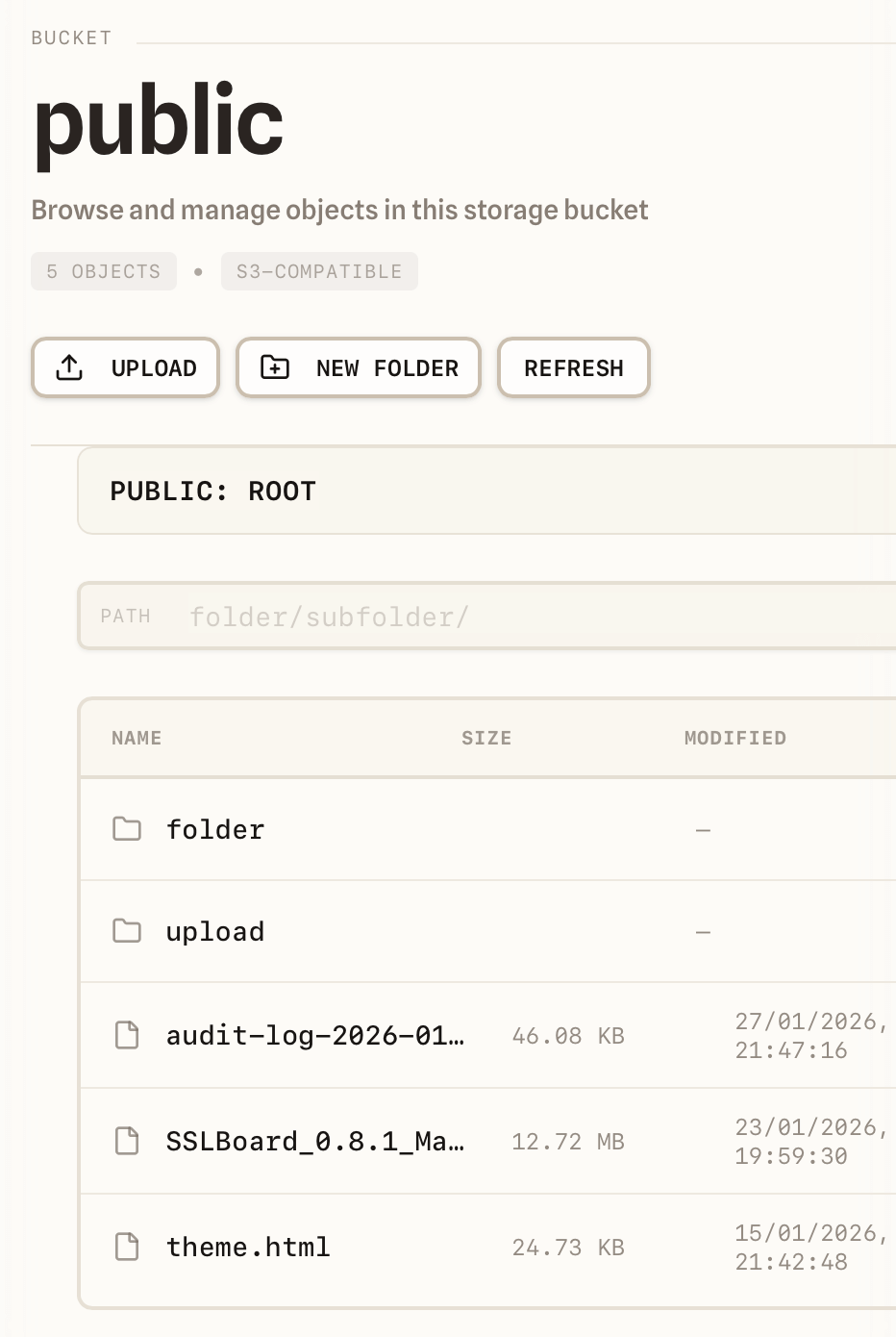
Built for teams, not IAM experts
Share access to buckets safely: invite by email, limit access to specific buckets and folders, and see who did what—without handing out admin keys.
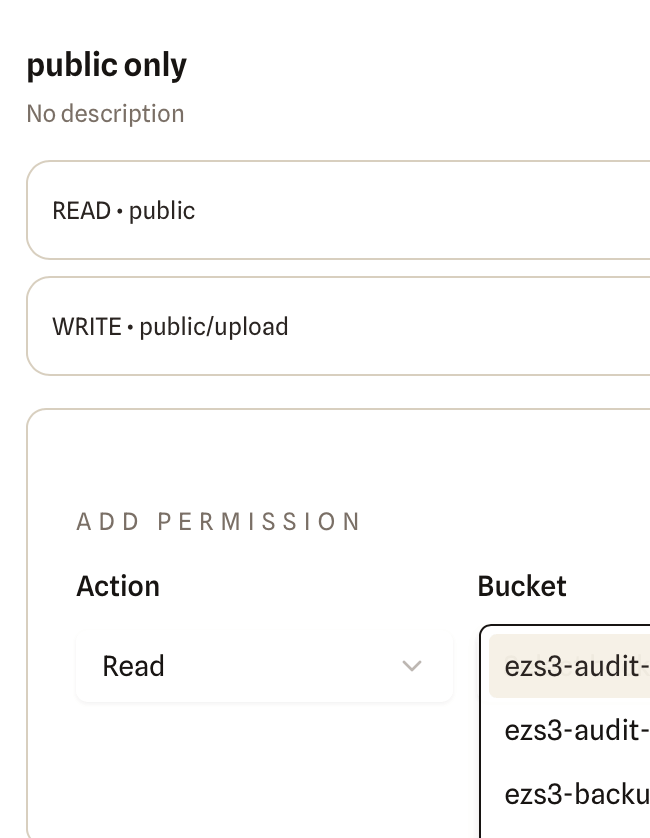
Role-Based Access Control
Give teammates the right level of access without exposing IAM complexity. Create roles like 'Read-only' or 'Can upload to reports/' with simple allow-only rules. Permissions apply per bucket and optional folder prefix—perfect for segmenting access by team, project, or client.
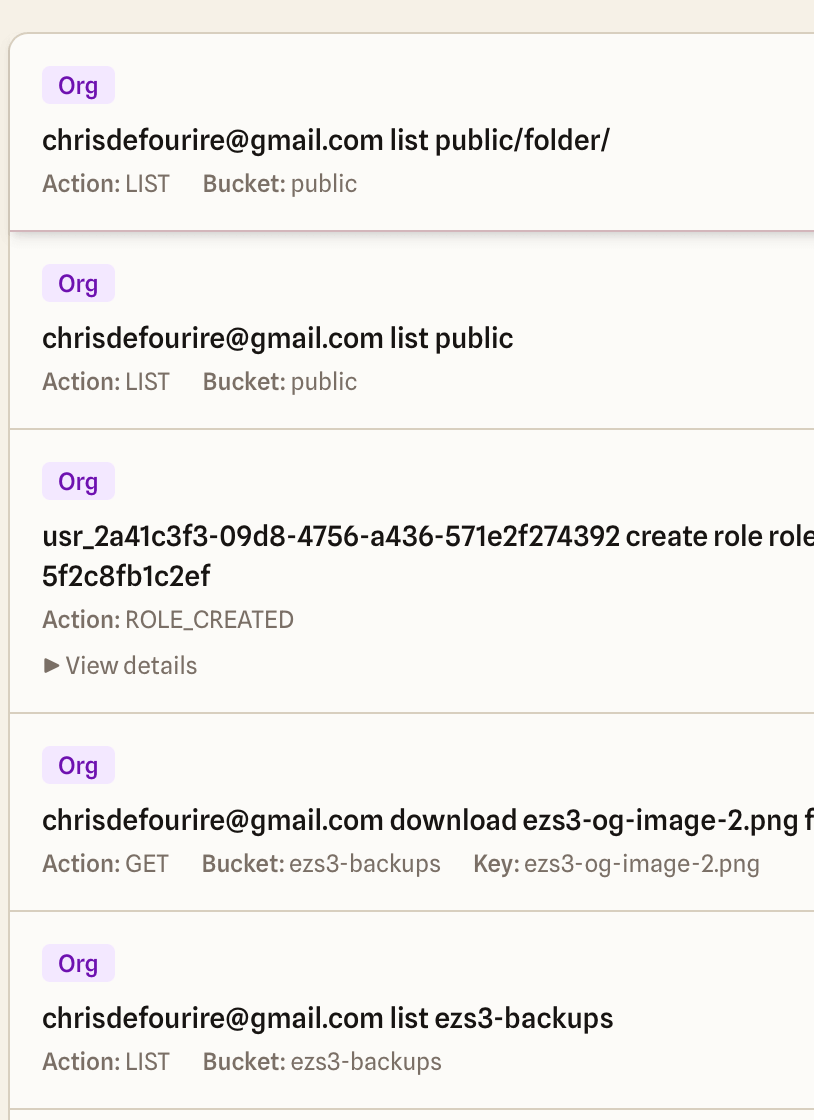
Audit Logging
See who accessed what and when. Short retention keeps storage lean while providing accountability for small teams. Perfect for answering 'who downloaded that file?' without enterprise overhead.
Magic Link Authentication
Passwordless login via email. Users click a link, no passwords to manage or forget. Frictionless access for teammates who aren't tech-savvy—no account creation required elsewhere.
S3-Compatible Storage
Works with AWS S3, DigitalOcean Spaces, Backblaze B2, MinIO, and any S3-compatible provider. Static tokens stored encrypted at rest. Your data stays in your bucket—ezS3 is just a convenient gateway.
FAQ
Is ezS3 a storage system like MinIO?
No. ezS3 is a hosted UI layer on top of your existing S3-compatible storage. You get a friendly interface, roles, and audit logs—we don't run or replace your buckets.
Does ezS3 copy or store my data?
No. Your objects stay in your bucket. ezS3 connects to your storage so your team can browse, upload, and download with the permissions you set.
How do permissions work?
Roles are allow-only: scope each role to a bucket and optionally a folder prefix, then choose read, write, or both. Easy to segment access by team, project, or client.
Can I limit access to just one folder?
Yes. Use a folder prefix (e.g. /logs/ or /brand/). People only see and act on objects under that path.
What storage can I connect?
AWS S3, Cloudflare R2, Backblaze B2, DigitalOcean Spaces, Wasabi, Azure Blob, MinIO, and any S3-compatible API. Add a connection in Settings with your access key and bucket; your data stays in your bucket.
Do I need to move or change my bucket?
No. Use your existing bucket and provider. Add a storage connection in ezS3 (access key and optional bucket scope); your team gets the UI without moving any data.
Why not share the AWS console or presigned URLs?
Console access is all-or-nothing and hard to audit per person. Presigned URLs are one-off and don't give a persistent, role-based view. ezS3 gives each person limited, audited access so you don't over-share credentials.
How long are audit logs kept?
14 days. Enough to answer "who did what" without long-term retention; longer retention may come in a future plan.
How do users sign in?
Magic links by email by default, with Google OAuth available. Teammates sign in to ezS3 only—they never see your storage credentials.
Security
ezS3 keeps your files secure with short-lived access URLs and activity logging for every action. Your access credentials (keys) stay encrypted at rest on our servers and are never sent to or stored in browsers. This approach works well for most teams, but if you need SOC2 compliance, full audit trails, or temporary credentials instead of long-lived tokens, we'll show you exactly what to consider before you connect your storage.
Pricing
Unlimited everything
Unlimited users, unlimited roles, and short audit retention (14 days). Perfect for small teams and non-regulated data.
Note: SSO, long-term retention, and compliance features are coming soon in an extended offering.
Ready to get started?
Your team needs S3 access.
Let's get you set up.
Sign in with a magic link (or Google), invite your team, and set up role-based access in minutes. Perfect for small teams, agencies, and startups.
Contact
Whether you need help setting up your team, want to discuss enterprise features, or just have a question—we're one email away. Usually respond within 24 hours.
contact@ezs3.net